

Guides.
Short guides to every Velorin feature.
Performance tools: watch your system load in real numbers
Watch CPU, RAM, GPU, disk and network usage on one screen. Clear temp files and standby memory in one click, and manage what runs at startup.
ReadIn-app chat: talk to your friends without leaving the app
Chat, profile and friends live inside Velorin. Talk with emoji, mentions, replies and reactions, and see who is online.
What is Velorin? One loader and a marketplace for players
One menu that opens during the match, features for League of Legends and Valorant, and a marketplace. What Velorin does and how to get started.
What is a League of Legends skin changer and how does it work?
Software that shows skins, chromas and models you do not own in game. What it does, what peer sync is and how you use it in Velorin.
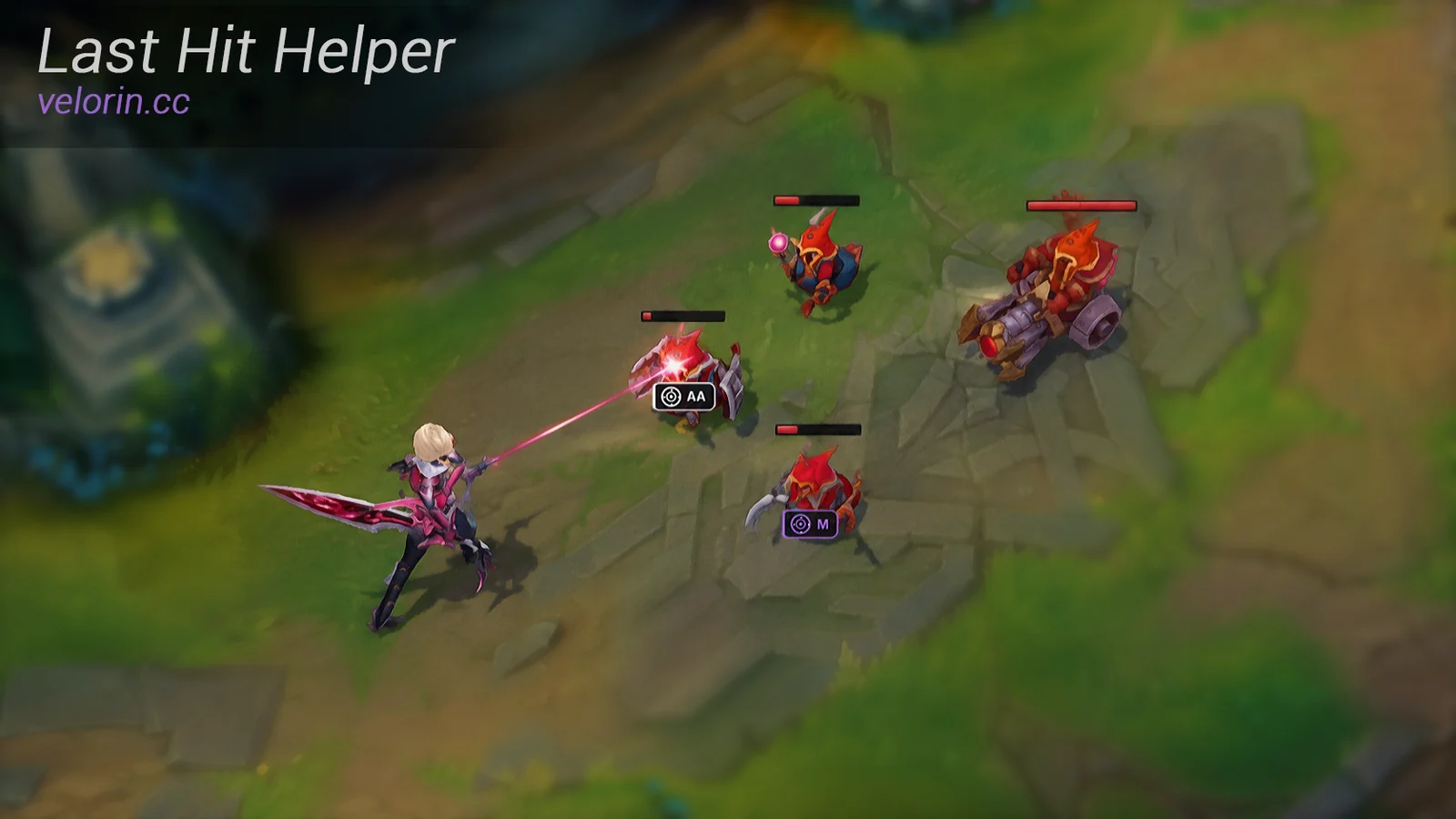
Last Hit Helper 2.0: a last-hit indicator for 60+ champions
Stop missing CS in League of Legends. Velorin's Last Hit Helper 2.0 computes hidden damage for 60+ champions, item on-hit effects and crit, then shows an auto/ability marker over the minion.
Champion indicator: boxes, lines and HP numbers
Draws boxes, target lines and HP numbers on champions you can already see, and warns you about hidden enemies and the jungler. It opens nothing new, it makes what is on screen easier to read.
Range overlays: attack, tower and ward range
Draws attack, tower and ward range as rings on screen, each switched on and off on its own. Camera zoom is a separate feature.
Valorant team lookup: see the hidden names on your team
Know the players on your own team before the match starts. The color filter, custom crosshair and match tracker live in the same module.
Valorant color filter: make enemies stand out
Mutes the screen and keeps the enemy color you pick bright, so enemies are easier to pick out in busy scenes. It is a visibility feature.
Valorant custom crosshair: draw your own
Draws your own crosshair in the middle of the screen from inside the color filter overlay, so you are not held back by the in-game crosshair settings.
LoL account features: account switching, auto accept and instalock
Fast switching between accounts, auto accept, instalock, auto ban and appear offline. Stop repeating the same lobby steps by hand.
Peer sync and loadouts: let your friends see your skin
Velorin users in the same match see each other's skins. Save skin sets as loadouts and flip between skins with a hotkey.